Self-hosting on arm64 SBCs: the pitfall catalogue

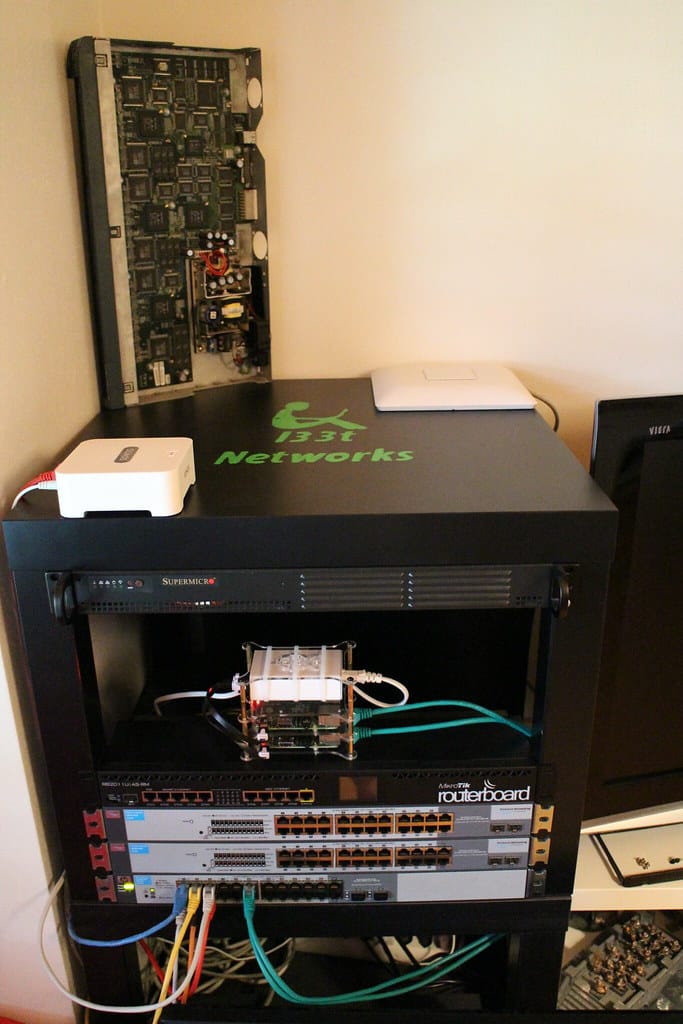
I run a real Kubernetes cluster on a stack of arm64 single-board computers. Not a toy — it hosts my Git server, this blog, and the automation I lean on every day. It's cheap, quiet, and sips power, and I'd build it the same way again. But running production workloads on cheap ARM boards has bitten me in ways a cloud VM never would, and every one of those bites was avoidable once I knew where the teeth were. So here's the pitfall catalogue. Read it and skip my scars.
The "arm64" image that isn't
Your whole fleet is arm64, so you pull an image, the manifest proudly lists linux/arm64, the pod schedules, and then it crashes with exec format error. What happened: the image advertises an arm64 platform in its manifest, but the binary inside was compiled for amd64. The multi-arch tag was aspirational. I burned an afternoon on one popular self-hosted app before I accepted the image simply couldn't run on my hardware, and I ripped it out for an alternative that ships genuine ARM builds.
The lesson: don't trust the manifest, test the binary. Before you commit to a piece of self-hosted software, pull its image and actually start it on an ARM node. If it exec format errors, you've saved yourself a migration later. Multi-arch support is a claim until your own hardware proves it.
reclaimPolicy: Delete is a data shredder
This is the one that cost me real data, so let me be blunt about it. A PersistentVolume's reclaimPolicy decides what happens to the underlying data directory when its claim goes away. The default on a lot of provisioners is Delete, and Delete means exactly that: remove the PVC — on purpose, by accident, during a "clean up this namespace" sweep — and the provisioner erases the data on disk with it. No trash, no undo.
apiVersion: v1
kind: PersistentVolume
metadata:
  name: git-data
spec:
  persistentVolumeReclaimPolicy: Retain   # not Delete. ever, for stateful data.
Set Retain on anything that holds state you can't regenerate, full stop. With Retain, deleting the claim orphans the PV instead of shredding it — you clean it up by hand when you actually mean to. I learned this by deleting a claim I thought was disposable and watching my Git server's data directory evaporate. I had a backup. You should assume you won't be so lucky.
A node dies, and its data dies with it
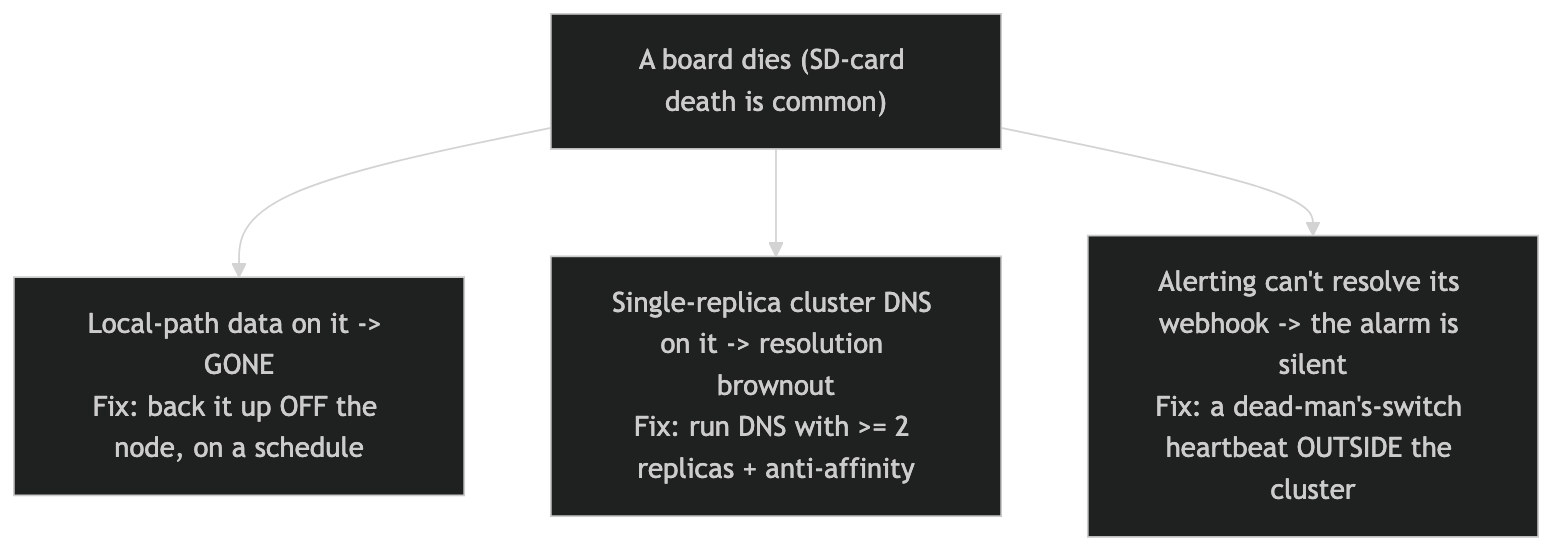
On a real cloud, storage floats free of any one machine. On an SBC cluster, the cheap, fast option is local-path storage — a directory on that specific board's disk — and local volumes are node-pinned. The pod can only run where its data lives. That's fine right up until the board dies, and SBCs die more than servers do: they run their root filesystem off SD cards, and SD cards wear out and corrupt without warning.
This is the one that finally got me to act. After more than a year of trusting my nodes' root storage to SD cards — living with exactly the fragility I'm describing — I'm moving them to NVMe, and naturally I'm doing it right as NVMe prices spike. Timing is a skill I have clearly not mastered. I went with NVMe specifically because the PoE HATs I already run on each node support an NVMe drive too, so I could add real storage without adding another power feed — the whole draw stays minimal, which matters when your "data center" is a shelf of tiny boards. The longer game is bigger: once I can afford to replace my UNAS Pro with something that speaks block storage and iSCSI, the data stops being welded to any one node. That's the actual cure for node-failure sensitivity — when storage is served over the network as blocks, a dead board becomes capacity you reschedule around instead of data you scramble to restore.
When a node goes, everything pinned to its local storage goes with it — not corrupted, just gone, sitting on a disk you can't reach. Two rules keep you out of this hole. First, treat every board as disposable and back its stateful volumes up to somewhere off the node, on a schedule. Second, know that local-path lies to you in smaller ways too: ask it to expand a volume from 5 to 8 gigs and it'll happily accept the change and do nothing. The number updates; the disk doesn't.
Your backup is lying to you
Here's a mistake hiding inside the fix for the last one. I had a migration helper that tarred a volume, checked the archive existed, and then deleted the source. It ran, it "succeeded," and it destroyed the data — because it had tarred a path that didn't exist on the node it was pointed at, producing an empty gzip. An empty gzip is about 20 bytes, and 20 bytes passes a "file is non-empty" test just fine.
# WRONG — an empty archive is ~20 bytes and sails through this
[ -s backup.tar.gz ] && rm -rf "$source"

# RIGHT — validate by entry count, not file size
[ "$(tar tzf backup.tar.gz | wc -l)" -ge "$EXPECTED" ] && rm -rf "$source"
Validate a backup by what's in it — a row count, an entry count, a checksum of a known file — never by whether a file showed up. And if you're migrating node-pinned storage, derive the source location from the volume's own node affinity; never hardcode which board it's on, because the day you hardcode the wrong one is the day your backup is 20 bytes of nothing and your "safe to delete" step isn't.
A kernel upgrade can silently cut the network
I took one node to a new distro release and its networking died in the most confusing way possible: the link showed up, ARP resolved, everything looked connected — and not a single IP packet moved under sustained load. A kernel update had regressed the board's network driver. The tell was that it wasn't a refusal, it was a hang: ports open instantly, transfers stall forever.
I proved it the boring, reliable way — an A/B test. Upgraded nodes wedged; nodes on the old kernel stayed rock solid, two for two versus three for three. Then I rolled the upgraded boards back and stopped. The discipline here is simple and it's the same discipline you'd want anywhere: never march your whole fleet onto a new kernel at once. Upgrade one board, beat on it under real load for a day, and only then let the change spread. On homogeneous cheap hardware, a bad kernel doesn't break one node — it's queued up to break all of them.
The bonus round: when a dead node takes your alerting with it
This is the one that still stings. I own a t-shirt that just says "It was DNS." I wear it more than I'd like to admit, because it almost always is — and this time was no exception. A node died, and because my cluster DNS was running as a single replica, its death browned out name resolution across the whole cluster. Detection worked perfectly — the "node not ready" alert fired right on time. Delivery is where it fell apart: my alert-router couldn't resolve the address of the chat webhook it was supposed to notify, so the alarm never left the building. The monitoring system became collateral damage of the exact incident it existed to report.
Run your cluster DNS with at least two replicas and anti-affinity so no single board can take it down. And put one check outside the cluster entirely — a dead-man's-switch heartbeat that screams if it stops hearing from you. In-cluster monitoring can only tell you about failures that leave the monitoring path intact. The failures that matter most are the ones that don't.
The pattern under all of it
Every one of these comes back to the same mindset shift. A cloud VM lets you pretend the machine is permanent and the storage is safe. A stack of ARM boards won't let you pretend: treat every node as disposable, every local volume as ephemeral until it's backed up off the box, every backup as guilty until a row count proves it innocent, and every fleet-wide change as a thing you test on one board first. Adopt that posture and the platform is genuinely great — cheap, fast, and yours. Fight it, and it will teach you these lessons the expensive way, like it taught me.
If you're running your own boards and you've hit a pitfall I missed — or found a cleaner way to dodge one of these — I'd genuinely love to hear it. As always, I'm here to help!